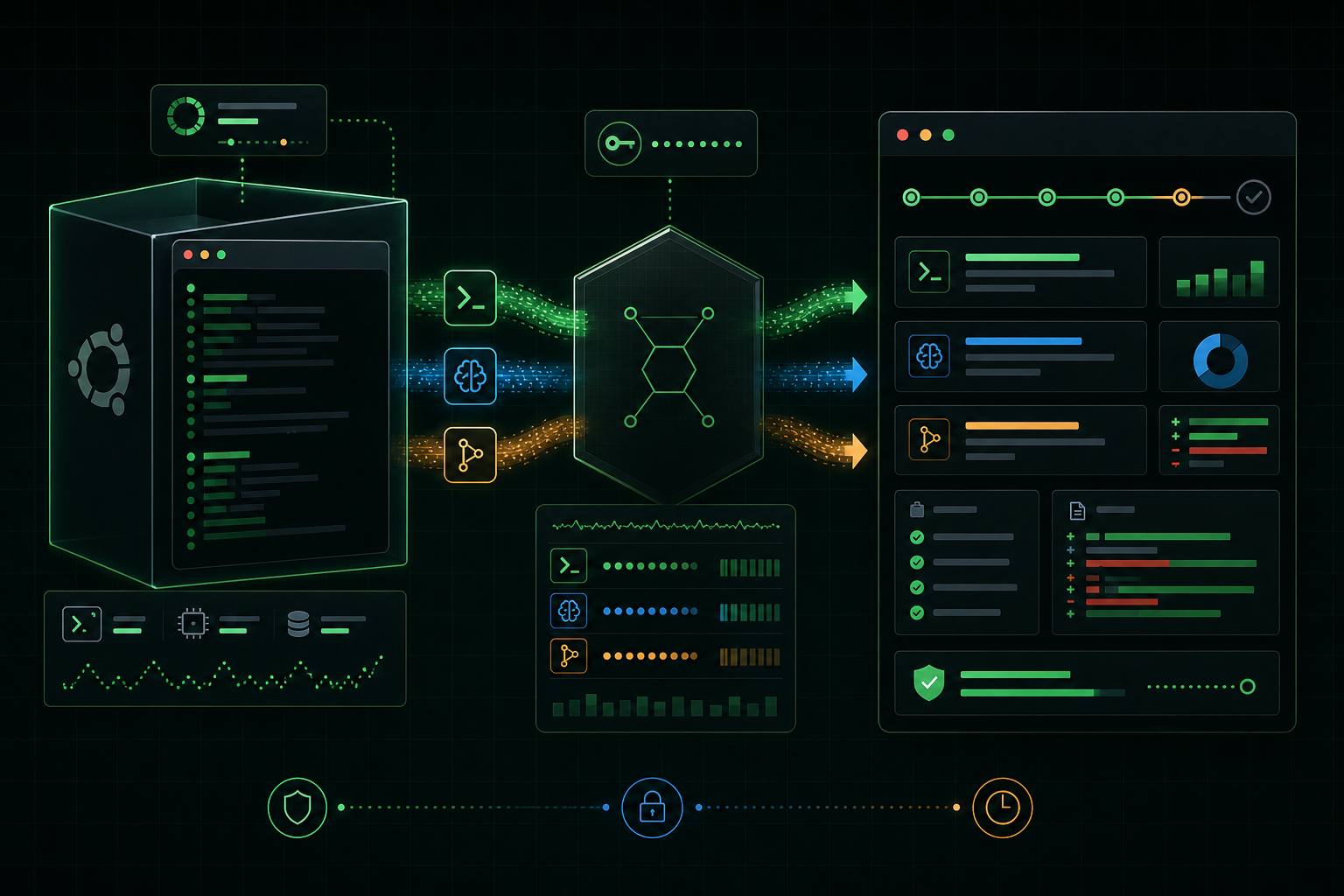
The session starts with a real server
BrushPass provisions a fresh Ubuntu VPS for each session. The candidate connects over SSH as a normal Linux user, gets a task file, and works in their home directory with familiar tools like git, curl, ripgrep, Node, Python, tmux, and a coding agent.
The workspace can start empty or be seeded from a public GitHub or GitLab repository at a branch, tag, commit, or subdirectory. That makes it useful for both greenfield build tasks and realistic bug hunts against existing code.
The candidate gets tools, not secrets
Provider API keys never go on the VPS. BrushPass installs the coding agent and writes a local configuration that points it at the BrushPass API proxy. The candidate receives a disposable session token scoped to one workspace, one session, the allowed models, and the expected source IP.
That keeps the developer workflow realistic while keeping organization credentials server-side. The candidate can use the agent naturally, but the control plane can enforce budget, model policy, token expiry, and revocation.
Coding-agent traffic goes through the proxy
Today the installed agent path is Codex. The configuration routes OpenAI-compatible Responses API traffic through BrushPass, where each request is authenticated, checked against budget and policy, forwarded with the organization's key or a platform fallback key, and recorded as an AI event.
Those events include provider, model, status, redacted request and response data, token usage, and estimated cost when pricing is available. Claude and other coding-agent providers can fit the same pattern as additional adapters.
Terminal telemetry records the workflow
The candidate's login shell loads BrushPass telemetry. Interactive commands are recorded with timestamp, user, working directory, exit code, and session context, then posted back to the control plane through an authenticated agent endpoint.
This is not just command history. It shows how the candidate explored the system, installed dependencies, ran tests, debugged failures, started services, inspected ports, and verified the result.
The git shadow captures file changes
BrushPass initializes the candidate home directory as a git repository for a clean baseline, then maintains a separate shadow worktree for evidence collection. The shadow excludes noisy or sensitive paths such as agent state, caches, SSH material, package folders, and virtual environments.
When the workspace changes, BrushPass snapshots the file inventory and computes line-level deltas. Reviewers can see changed files, additions, deletions, README updates, and whether a candidate produced usable handoff documentation.
Snapshots turn a box into evidence
A lightweight timer collects workspace state during the session: file counts and sizes, suspicious files, large files, archives, git status, listening ports, process context, disk usage, README content, and recent file activity.
BrushPass skips duplicate snapshots when nothing meaningful changed. The result is a timeline that combines shell actions, AI events, and state updates into a reviewable record instead of a pile of disconnected logs.
Reports are the next layer
The next step is generated session reporting. A report should combine the task, candidate documentation, terminal timeline, AI usage, snapshots, git deltas, cost, runtime evidence, verification results, and reviewer notes into a structured assessment draft.
That report should summarize what happened, cite evidence, identify strengths and risks, suggest follow-up questions, and score clear dimensions like task completion, debugging, Linux fluency, deployment, testing, AI judgment, security hygiene, code quality, and documentation.
The goal is better review, not automatic hiring
BrushPass is designed to help reviewers make informed decisions. The system can organize the evidence, run verification checks, and draft analysis, but the hiring decision should stay with humans who understand the role, team, and context.